Long multiplication shenanigans
3 min read
This is JavaScript snippet to generate random full-precision floats and convert them to base-10 scientific notation:
const MAX_SAFE_EXP = Math.floor(Math.log10(Number.MAX_SAFE_INTEGER)); // 15
const MIN_EXP = Math.floor(Math.log10(Number.MIN_VALUE)); // -324
const MAX_EXP = Math.floor(Math.log10(Number.MAX_VALUE)); // 308

// random coefficient between 1.0 and 10.0
const coefficient = Math.random() * 9 + 1;

// convert to 15-decimal (16 sigfig) string representation
const fixedCoeff = coefficient.toFixed(MAX_SAFE_EXP);

// random integer exponent between -324 and 308
const exponent = Math.floor(Math.random() * (MAX_EXP - MIN_EXP + 1)) + MIN_EXP;

// print the output in scientific notation
console.log(`${coefficient}*10^${exponent}`);
You can run it in your browser by just copying it to your clipboard, opening your browser console, pasting it in, and running it.
Here are some example outputs.
- 2.042122968681706*10^284
- 4.161313893729217*10^-180
- 4.286881011926911*10^176
- 5.544526252474988*10^-218
- 6.859836896080841*10^-176
Can you imagine manually multiplying two of those 16-sigfig numbers together with pencil and paper?
Well now you don’t have to! Here’s two of them multiplied together with all intermediate long multiplication steps written out.
Here’s what the TeX source for that math block looks like in my IDE.
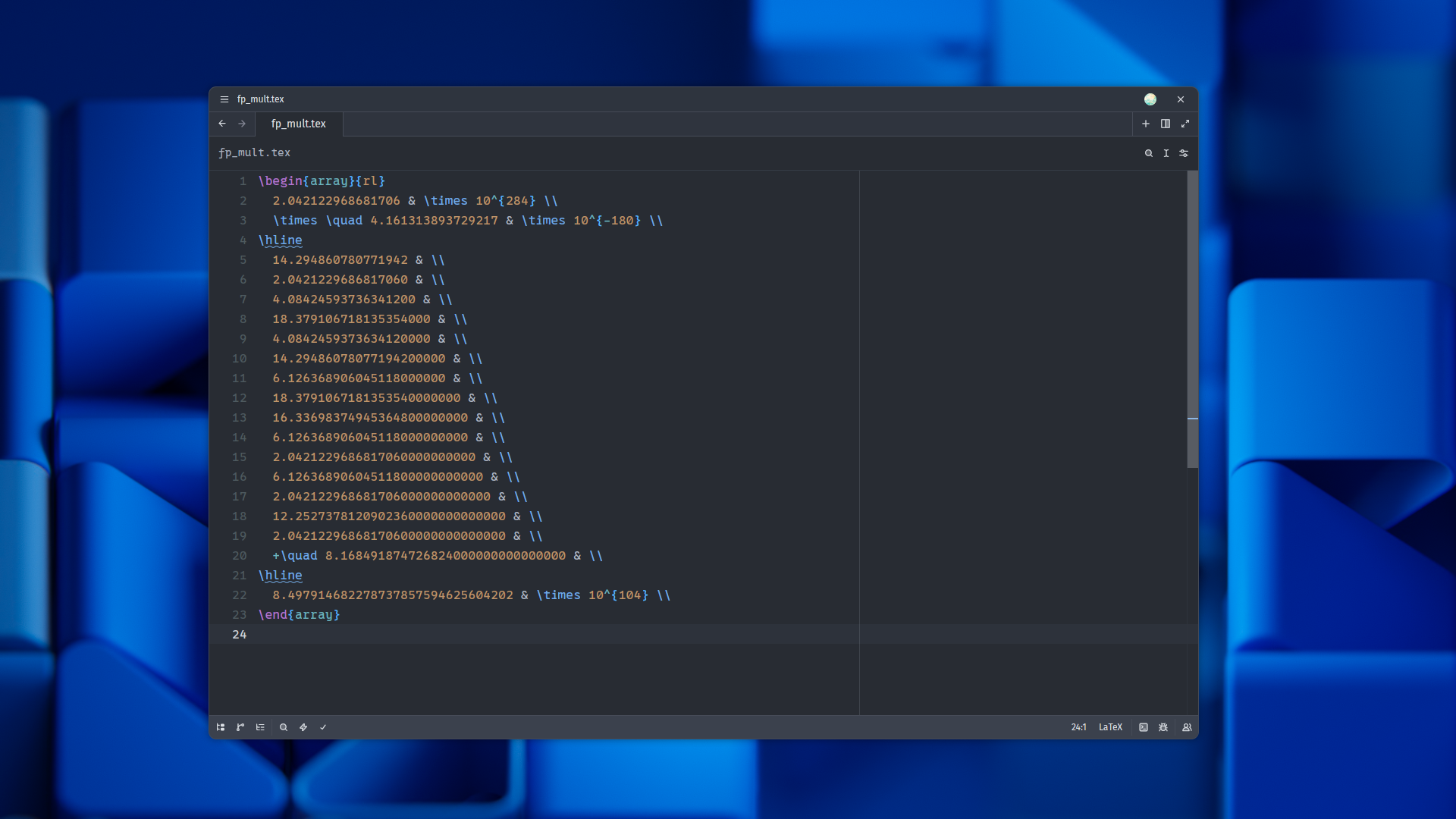
I’m too lazy to write all those steps by hand, so I wrote a Python script to generate it for me. It 's a tad bit long, so I’ve put it in a collapsible.
Press to show the Python code
from decimal import Decimal, getcontext

# Our coefficients have 16 decimal sigfigs, so we'll need at least 16 + 16 = 32
# digits of precision, and we add 1 extra digit for safety margin.
getcontext().prec = 33

coeff_a, exp_a = "2.042122968681706", 284
coeff_b, exp_b = "4.161313893729217", -180

combined_exp = exp_a + exp_b
val_a = Decimal(coeff_a)

# multiplier digits in reverse order (excluding decimal point)
multiplier_digits = coeff_b.replace(".", "")[::-1]
num_partials = len(multiplier_digits)

# Header Section
latex = [
    r"\begin{array}{rl}",
    f"  {coeff_a} & \\times 10^{{{exp_a}}} \\\\",
    f"  \\times \\quad {coeff_b} & \\times 10^{{{exp_b}}} \\\\",
    r"\hline",
]

# Intermediate Section
for i, digit_char in enumerate(multiplier_digits):
    digit = int(digit_char)
    partial = val_a * digit

    formatted_partial = f"{partial:.16f}".rstrip("0").rstrip(".")
    if formatted_partial == "0" or digit == 0:
        formatted_partial = "0.0000000000000000"

    suffix = "0" * i
    prefix = "+\\quad " if i == num_partials - 1 else ""
    latex.append(f"  {prefix}{formatted_partial}{suffix} & \\\\")

# Footer Section
total_coeff = val_a * Decimal(coeff_b)
latex.append(r"\hline")
latex.append(f"  {total_coeff} & \\times 10^{{{combined_exp}}} \\\\")
latex.append(r"\end{array}")

# Result
latex_output = "\n".join(latex)
print(latex_output)
Static TeX not fancy enough for you?
Here’s an animation of that same multiplication problem. Pretty slick, right?
Here’s a little comparison table between various methods of showing you the multiplication.
| Category | Tex | Animation | Your Imagination |
|---|---|---|---|
| Looks cool? | Moderately | Very much so | Depends |
| Effort to make | A bit | A lot | You can literally do it with your eyes closed |
| Can be printed? | Yes | I guess you could make a flipbook | No |
| File size | less than 1 KB | 1.8 MB | No idea |
Conclusion
You might be wondering “what was the point of this utterly asinine blog post?”
In a way, I just wanted to share some code that I wrote several months ago when I was trying to demonstrate how difficult is is for humans to manually do floating-point arithmetic.
But in another, more accurate way, I was demoing how Tufte renders stuff. You saw how it renders text, highlighted code blocks, lists, math blocks, images, figcaptions, collapsibles, videos, tables, and headings.While we’re at it, this is how Tufte renders sidenotes.
By the way, did you know that this post was written entirely in Markdown without any embedded HTML? Even the collapsible and the semantic figcaptions. Read the Using this theme post if you want to learn more.
~Ethan